
You can send a credentialed message to any trading partner directly from the Address Book. Recipients see your verified ATP credential alongside your message, so they can confirm your status at a glance.
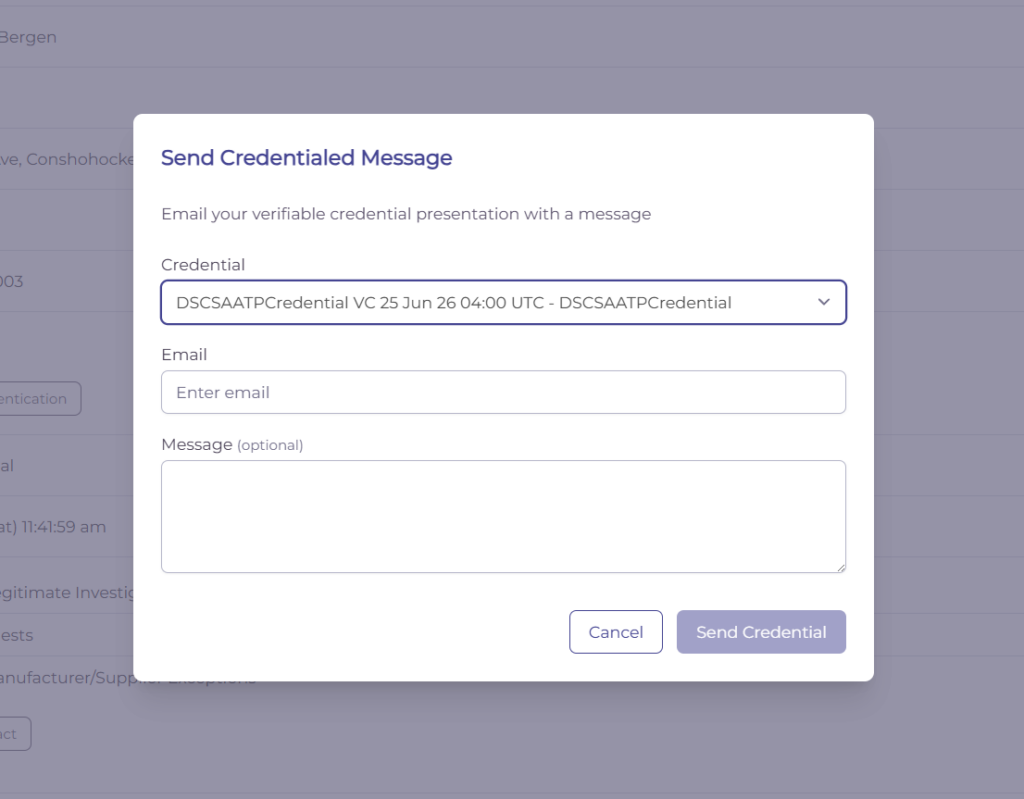
Send a message to an email address #
- In the Address Book, click Send Message, then choose General Message.
- Enter the recipient’s email address and type your message.
- Click Send.
A confirmation banner shows that the message was sent.
Send a message to a saved contact #
You can also message someone already in your Address Book. Open the contact (or organization), click Send Message, choose General Message, type your message, and click Send.
What the recipient sees #
The recipient receives an email with your message and a banner confirming it was verified using a DSCSA Authorized Trading Partner credential, along with your organization’s credential status.
Why send credentialed messages #
Credentialed messages let partners confirm your ATP status in real time and make it easy for them to add your credential to their own Address Book.
Last updated
Ready to do this live?
See the Address Book and DSCSA workflows on your own data.