XATP Magic Portal
The branded DSCSA workspace for manufacturers to interoperate with every trading partner, including partners without VRS access, credentials, or dedicated integrations.







The supply chain doesn’t end at your direct customers.
DSCSA requires secure, electronic, interoperable exchange between trading partners, both direct and indirect. These interactions land in a messy mix of VRS, email, portals, spreadsheets, and urgent phone calls. The Magic Portal gives them one authenticated path while your team keeps control of every ticket.
- Validate partner access and ATP status before work starts.
- Route product verification through VRS first and preserve manual resolution paths.
- Capture trace requests, exception reports, attachments, comments, and response history.
- Keep every action linked back to a request record in the Control Tower.
One portal for the work that usually falls between systems.
Trading partners get the least-friction path to respond. Your team gets structured, auditable records instead of scattered messages.
Verification requests
Let partners verify product identifiers, route eligible products through VRS, and escalate unresolved tickets with a complete record.
Trace requests
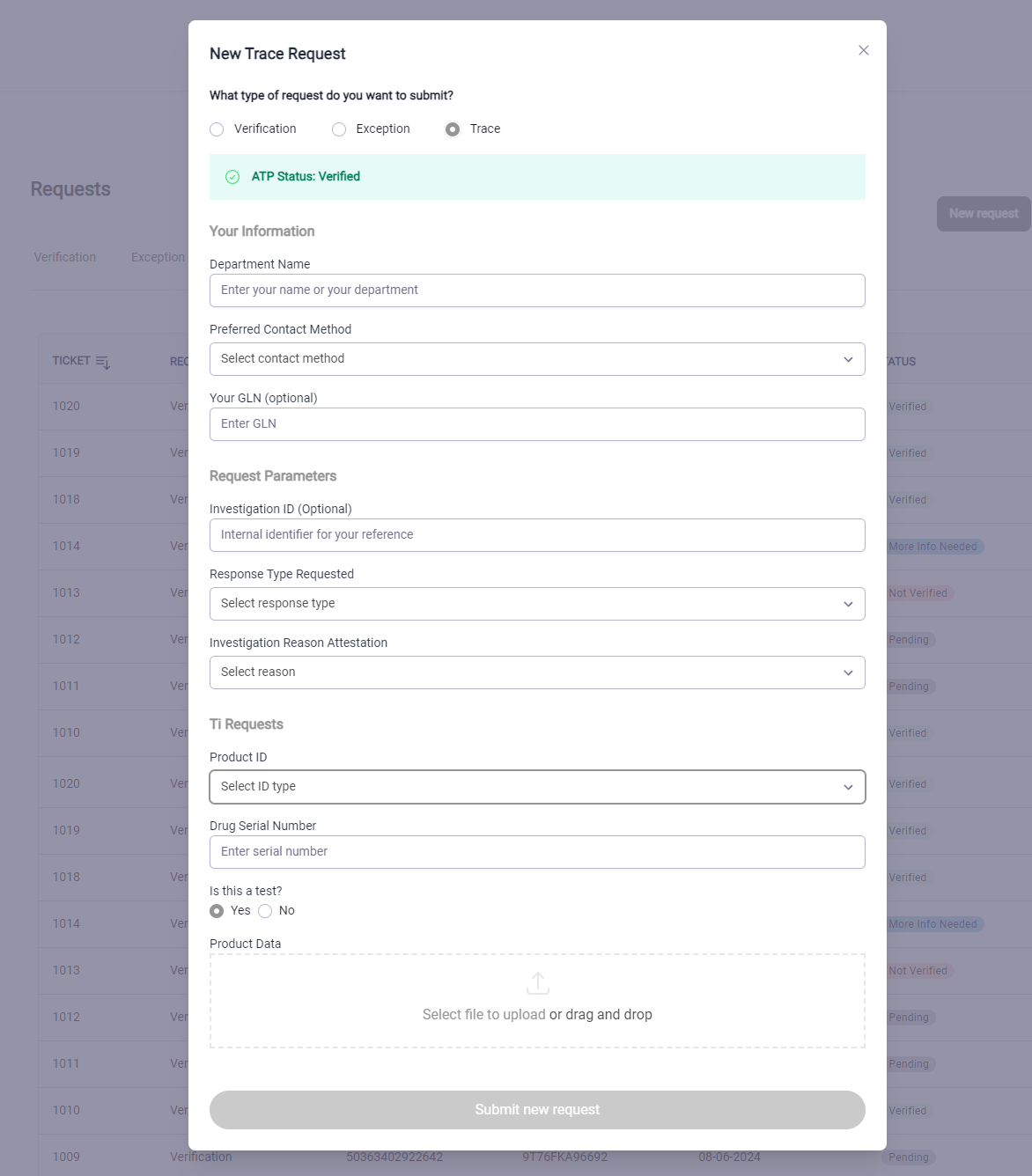
Receive interoperable tracing requests with investigation details, requested response type, product data, and attachment capture.
Exception reporting
Give customers a governed path for data or shipment issues such as drop shipments, mismatches, and suspect-product circumstances.
Credentialed access
Use verifiable credentials when available, validate courtesy access when needed, and keep permissions tied to the work being requested.
A two-sided workspace: self-service for partners, control for manufacturers.
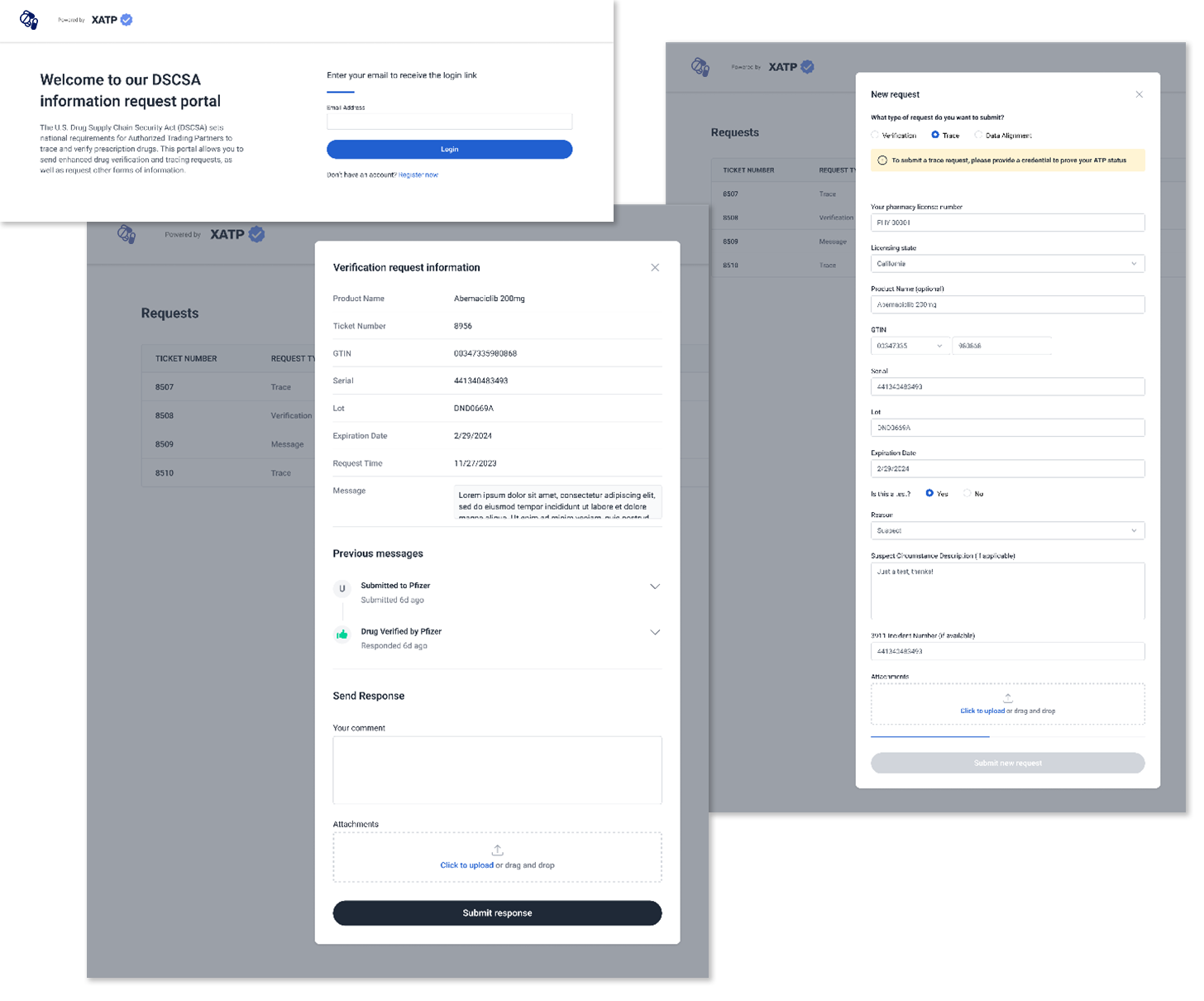
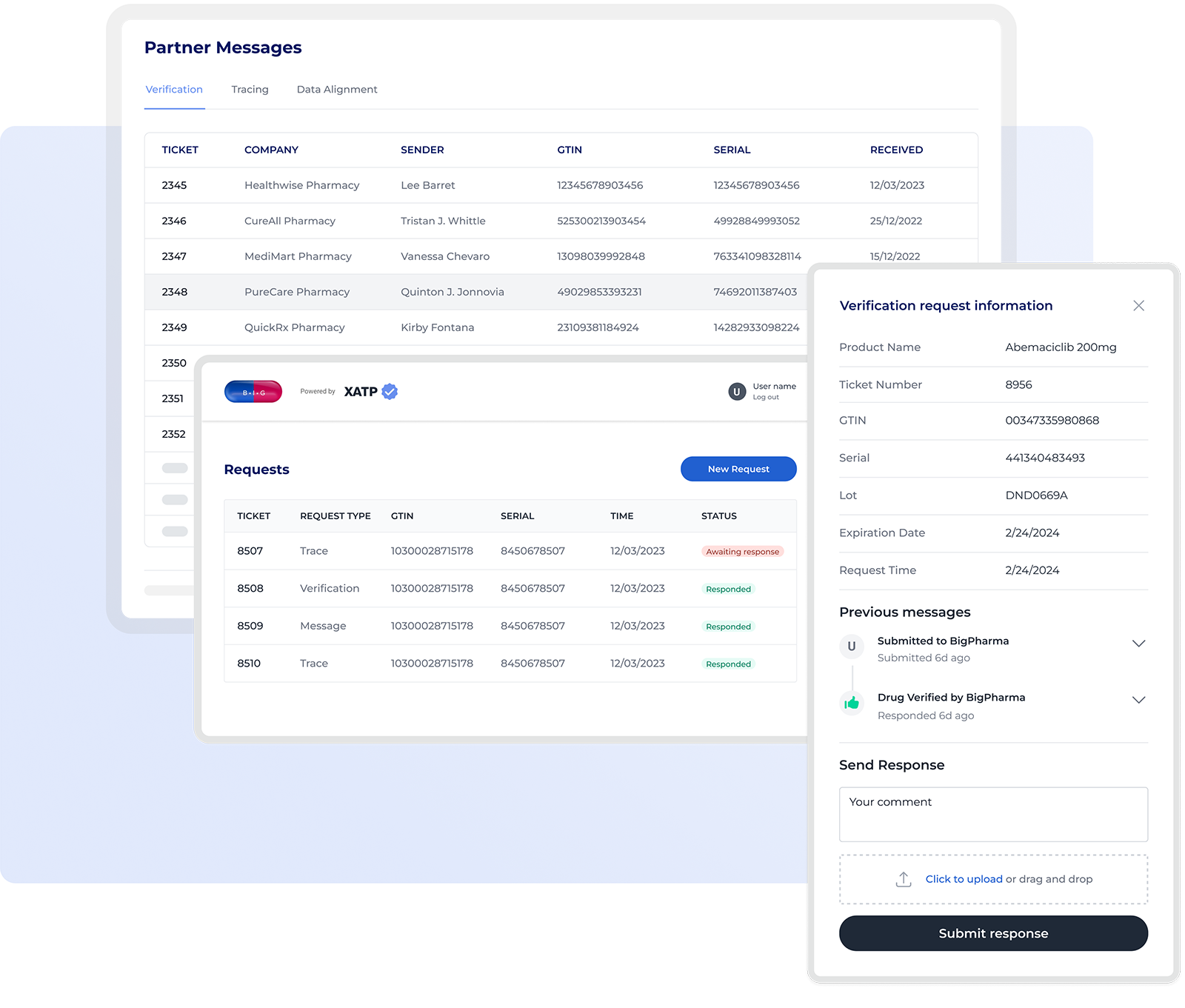
The Portal is your service desk for DSCSA requests, with a manufacturer-side queue and guest-side forms that preserve request context from intake through response.
Request intake and response live in the same evidence trail.
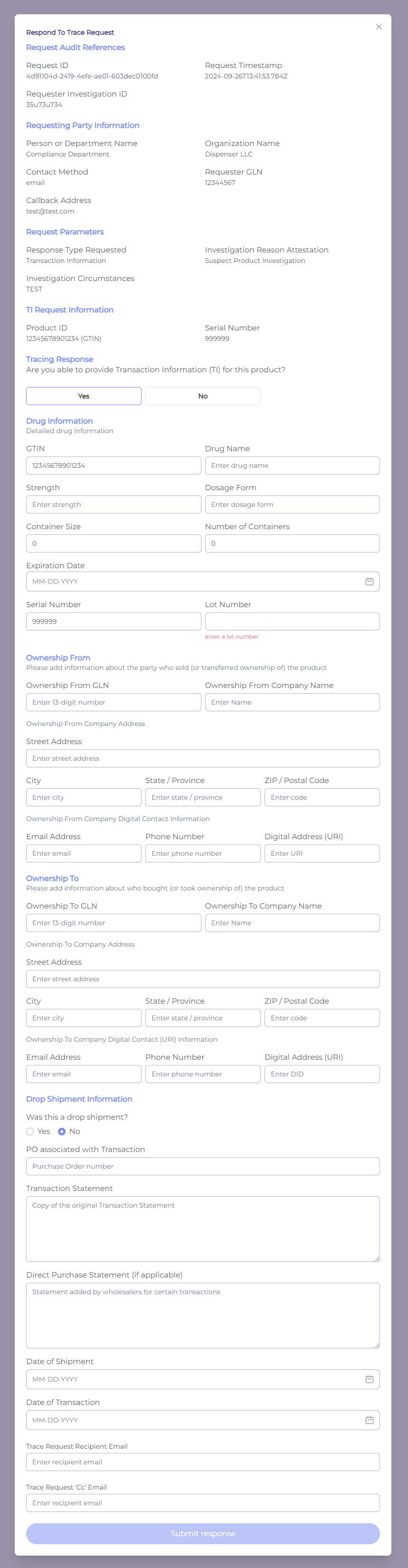
A partner can open a trace request with the right DSCSA fields already structured. The manufacturer can respond with transaction information, product details, ownership, drop shipment data, and recipient emails while preserving a reviewable history.
Every request the Portal absorbs is work your team never does by hand.
Each verification, trace, or exception that arrives through the Portal is a call your customer-service line never takes, an email chain nobody has to chase, and a spreadsheet that never gets created. It lands instead as a structured, auditable request with the partner’s identity already validated.
The Portal works best as part of the XATP operating system.

ATP credentials
Issue and check W3C verifiable credentials for trading partner trust.

Network trust
Support credential-aware exchange across direct and indirect partners.
Control Tower
Monitor portal requests alongside verification, tracing, and compliance work.
Address Book
Use partner records, contacts, locations, licenses, GLNs, and ATP status to drive access and routing.
Explore Address Book →Give every partner a secure DSCSA front door.
Deploy the Magic Portal with your XATP credential, Address Book, Verification Plus, and Control Tower workflows.