The Address Book is where you manage every trading partner you exchange DSCSA information with. It gives you a single, authoritative record of the contacts, organizations, locations, and licenses you work with, along with each one’s authentication status.
The four record types #
Everything in the Address Book is organized into four related record types:
- Contacts are individual people, usually the DSCSA point of contact at a trading partner.
- Organizations are the trading partner companies you work with, such as manufacturers, wholesalers, and dispensers.
- Locations are the physical sites that belong to an organization, such as a warehouse or distribution center.
- Licenses are the state licenses held at a location.
These records nest together: an organization can hold one or more locations, each location can hold one or more licenses, and contacts can be linked to the organization they work for.
Opening the Address Book #
From the XATP Dashboard, select Address Book in the left navigation. The Address Book opens with four tabs across the top: Contacts, Organizations, Locations, and Licenses.
Browsing the four tabs #
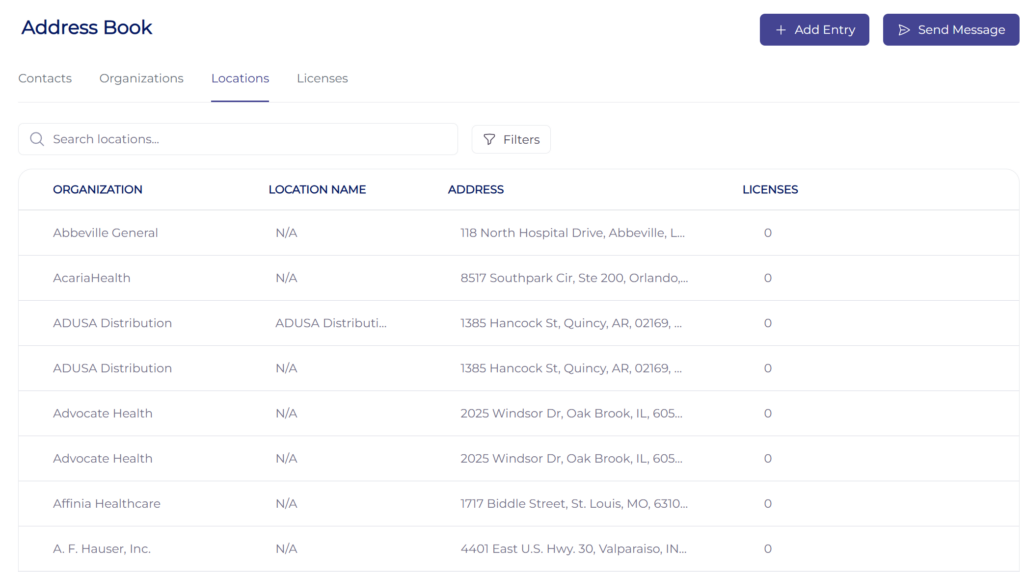
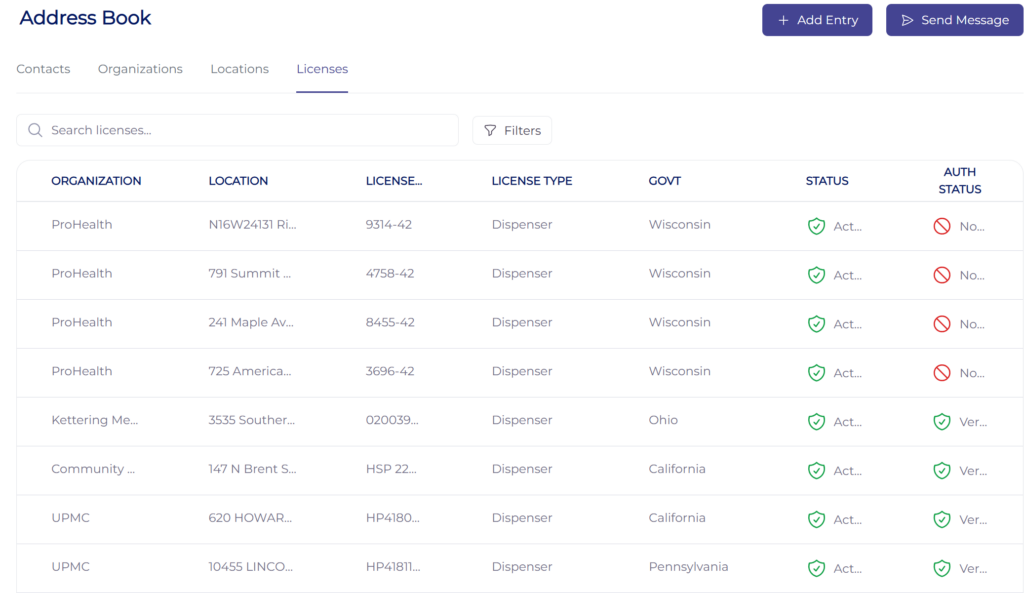
Each tab lists records of one type, with a search box and a Filters button to narrow the list.
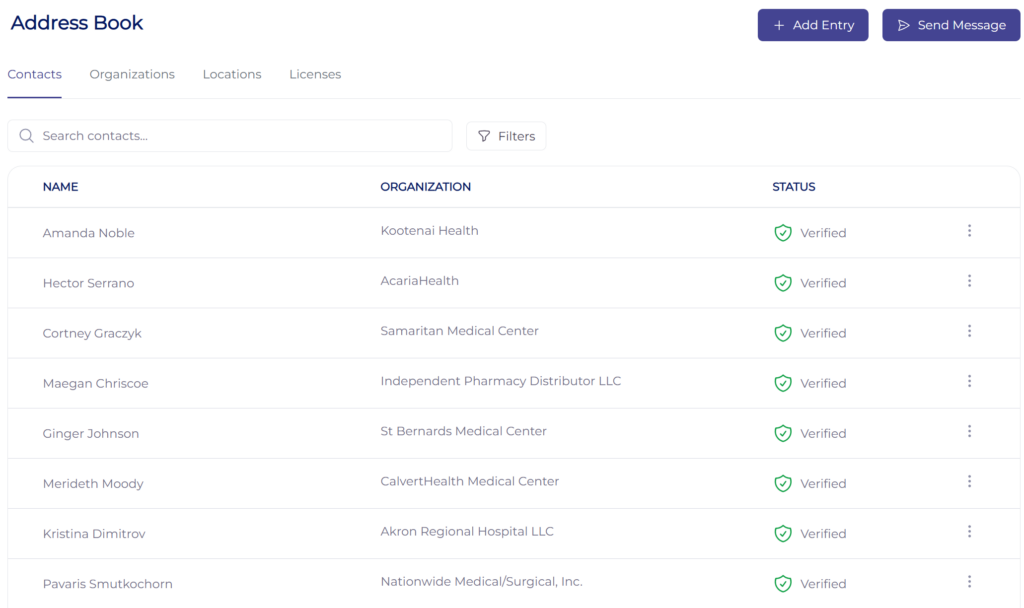
The Contacts tab shows each person’s name, linked organization, and authentication status.
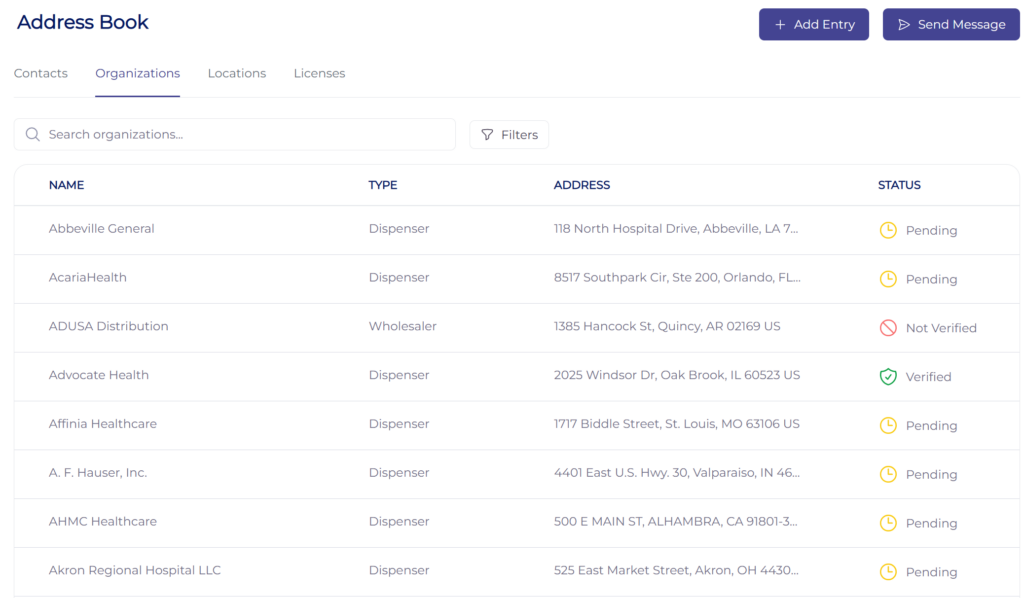
The Organizations tab shows each company’s name, type, address, and status.
The Locations tab shows each location’s parent organization, name, address, and number of licenses.
The Licenses tab shows each license’s organization, location, license number, type, issuing government, and status.
Reading status badges #
A green Verified or Active badge means the record’s Authorized Trading Partner (ATP) status has been authenticated. A red Pending or Not Verified badge means it has not yet been authenticated. See Authenticating Contacts, Organizations, and Licenses for how to validate a record.
Adding records and sending messages #
Two buttons are always available in the top right of the Address Book. Use Add Entry to create a new contact, organization, location, or license, and Send Message to send a credentialed message to a trading partner.
Last updated
Ready to do this live?
See the Address Book and DSCSA workflows on your own data.