An organization is a trading partner company you exchange DSCSA information with, such as a manufacturer, wholesaler, or dispenser. This guide covers how to add, view, edit, and remove organizations.
Add an organization #
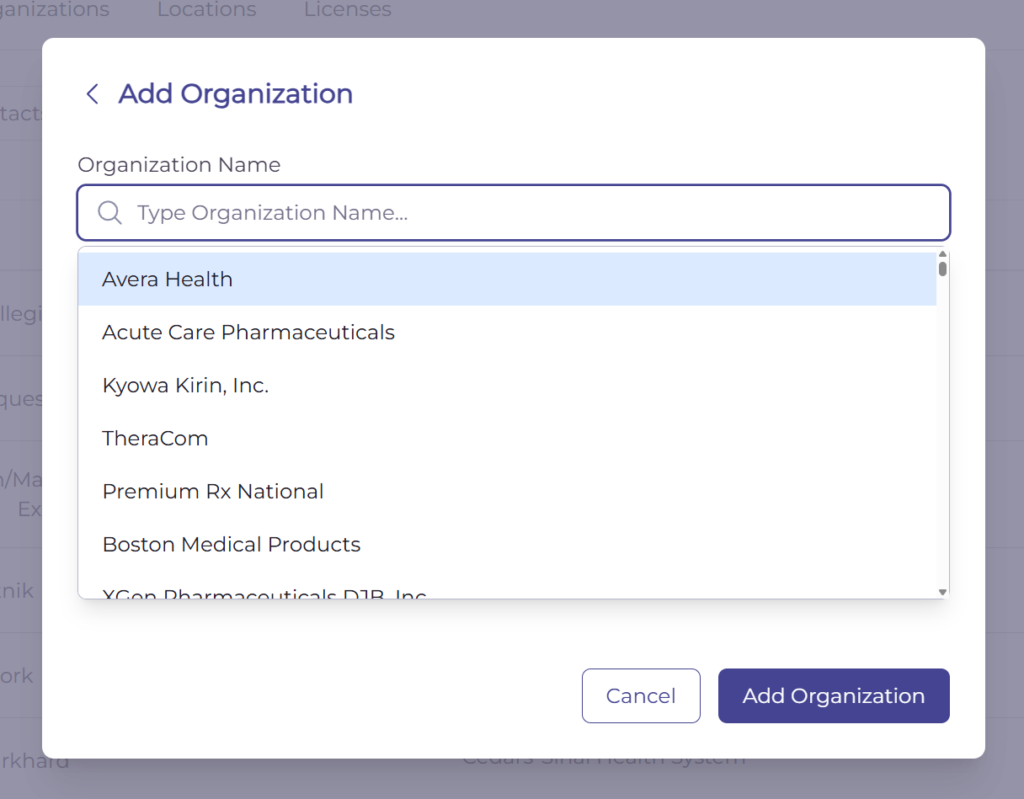
- Open the Address Book and click Add Entry in the top right.
- Choose Organization.
- Enter the organization’s details, such as Organization Name, DBA, Organization Type, Main Address, DUNS, and Entity GLN.
- Click Save.
The organization appears on the Organizations tab.
View an organization’s profile #
Click an organization to open its profile. The Organization Info page shows the organization’s core details along with its authentication status and expiry, the contacts linked to it, and its locations.
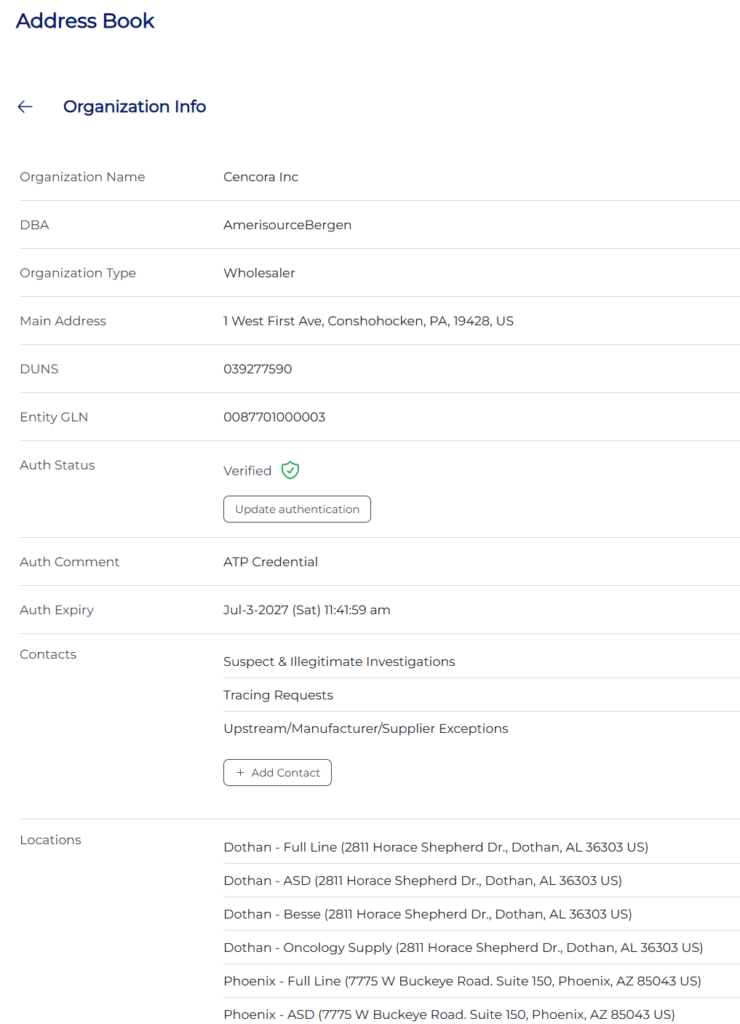
From the profile you can edit the organization, request information, send a message, update authentication, add a contact, or add a location.
Edit or delete an organization #
To update an organization, open it and click Edit Organization. To remove it, open the organization, click Edit Organization, then click Delete Organization. The organization no longer appears in the Address Book.
Last updated
Ready to do this live?
See the Address Book and DSCSA workflows on your own data.